Let people explore your product. See their choices take shape.
Bring models, configuration rules and business information into one browser experience. Huanshi Studio handles 3D content, interaction design, development and deployment to turn your idea into something people can open, use and understand.
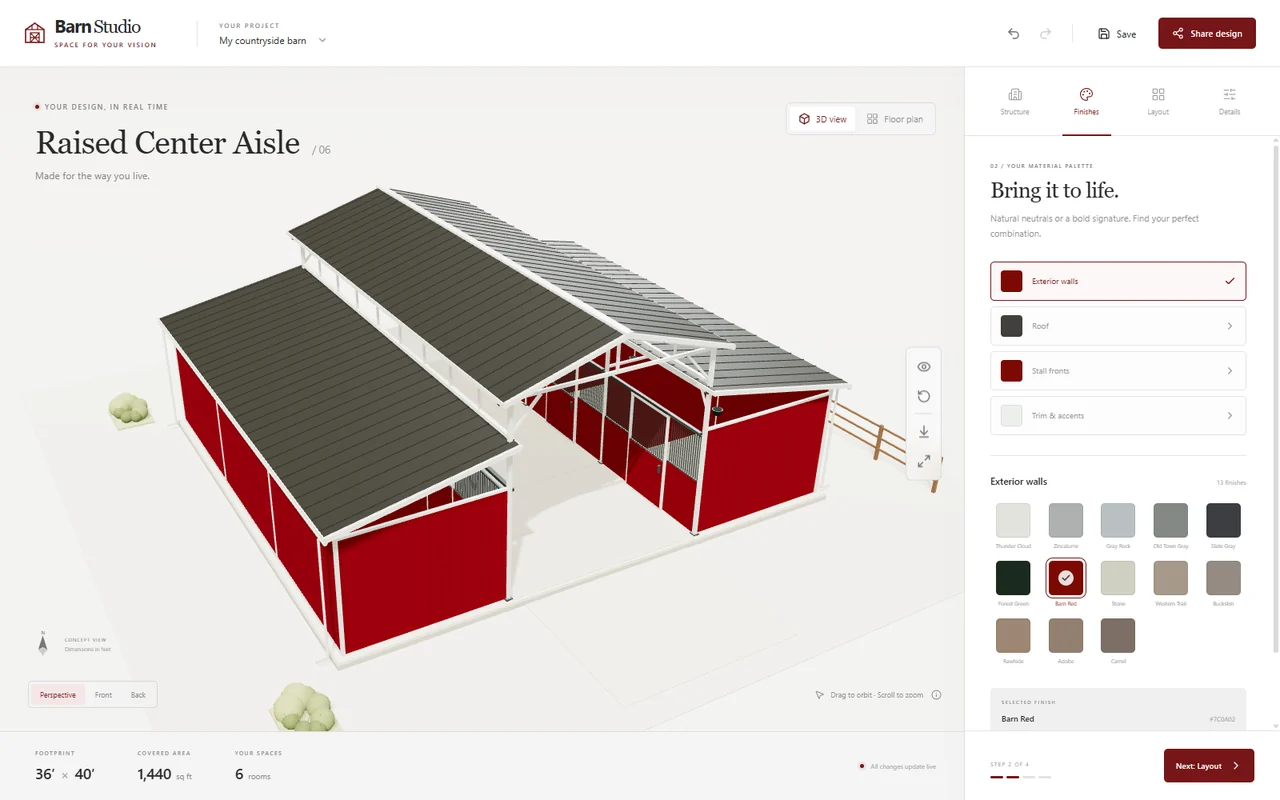
MDBarnmaster configurator · Change the options and see the building take shape in your browser.Try the barn configurator ↗
01 / What we build
3D interaction shaped around your business.
Start with what people need to understand or accomplish, then choose the right level of detail and interaction. These capabilities can be combined to fit your project.
01
Product viewers and structural explanation
Rotation, part selection, exploded views and annotations help people understand the product, its components and how they relate. Useful for equipment introductions, interactive manuals and sales demonstrations.
02
3D product configurators
Connect dimensions, colors, materials and modules to a live preview, with rules that control valid combinations. Give customers a visible proposal and sales teams a concrete starting point for discussion.
03
Virtual showrooms and spatial exploration
Bring exhibits, information and navigation into an explorable 3D space. Overviews, points of interest and guided routes can support online exhibitions and conversations about a proposed space.
04
Connected data and business systems
Link object selection, positions and states with useful information. Product catalogs, configuration results or equipment data can be connected through available APIs, with sources and update behavior agreed for each project.
02 / Working projects
See the interactions in working projects.
MDBarnmaster barn configurator
Building styles, room counts, dimensions and colors become one configuration workflow. The 3D preview and floor plan help people understand their choices and give the project team a shared reference for further discussion.
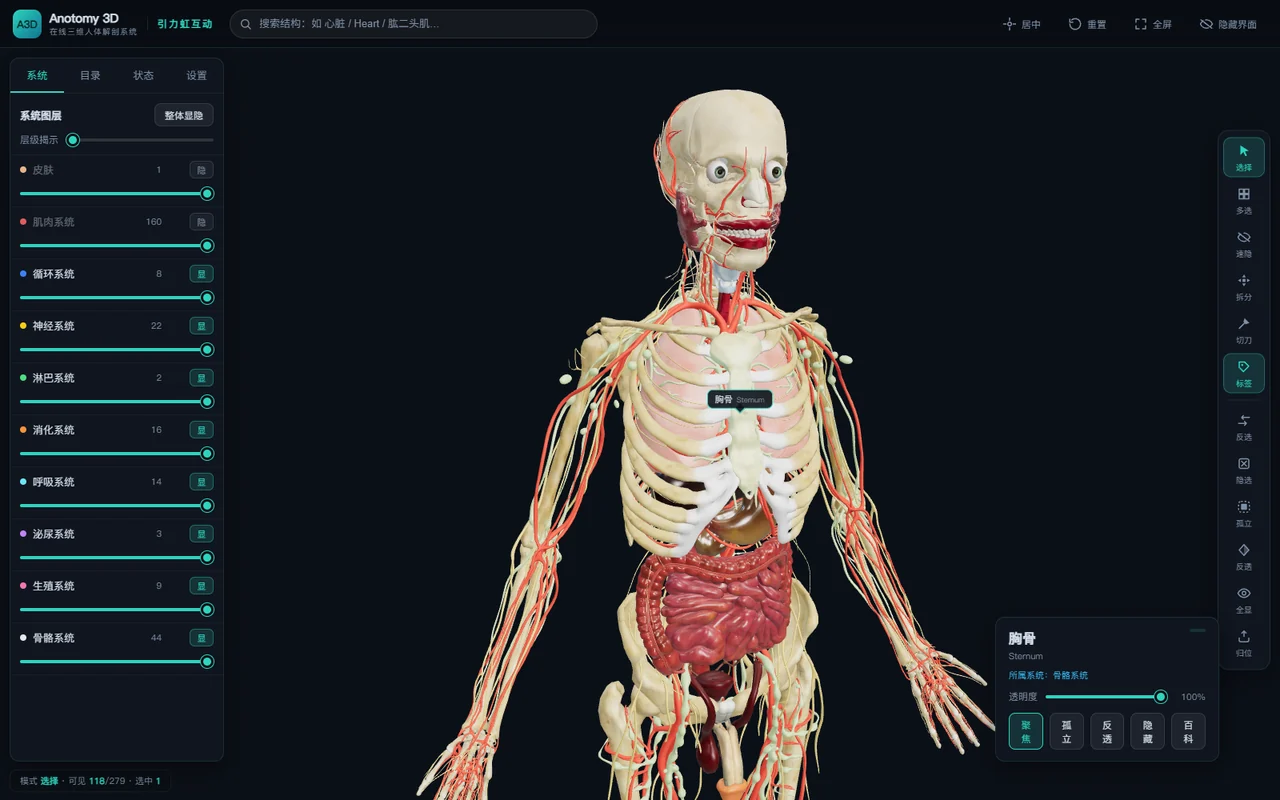
Structure selection, layer visibility and viewpoint controls make complex spatial relationships explorable. The same interaction principles can support equipment, component and specialist knowledge visualization.
Validate the core experience, then build the whole.
Agree on the scope, target environment and acceptance criteria early, with something tangible to review at each stage.
01
Define the scope
Confirm the use case, target devices, available assets, essential features and system interfaces. Set out the development scope and milestones.
02
Prototype the key interaction
Build the most important experience first: configuring a product, selecting a component or exploring a space. Review the interaction and visual direction together.
03
Develop and integrate
Complete the models, interface and business rules. Optimize geometry, textures, loading and runtime performance for the agreed devices, and connect the required interfaces.
04
Validate and deploy
Check the agreed features, browsers and devices, then deliver deployment and usage guidance. Source files, code, maintenance and future extensions are agreed as part of the scope.
04 / Your brief
Bring the brief. We can work through the details.
These three things help us assess the approach and effort in an initial conversation.
01
The goal and context
Who will use it, what should they be able to do, and where will it run: your website, a separate web application or an on-site device?
02
Assets and rules
Product photos, CAD or 3D models, brand assets, configuration rules and information about any systems it needs to connect to.
03
Timing and delivery
Your intended launch date, budget range, devices, languages, hosting and maintenance needs.
A few things you may want to know.
Can we start without a 3D model?+
Yes. Photos, dimensions, drawings and references help us assess the modeling work and the level of detail suitable for a browser. Existing CAD and high-resolution models will often need conversion and optimization too.
Can it work on phones and in WeChat?+
Phones and the WeChat browser can be included as target environments. The interaction, model size and visual quality need to be tested on the intended devices before we agree on acceptance criteria.
How are cost and timing decided?+
They depend on the number and complexity of models, interaction rules, integrations and device coverage. Start with the project estimate form for an initial reference, then we can confirm the scope and formal quote together.
START A CONVERSATION
Start with the interaction that matters most.
Tell us what people need to see and do, and what materials you already have. We can turn that into a practical development brief together.